

Description
If you need to use a VPN only for specific websites while accessing all other resources directly under your own IP, this guide is for you. There is also an option to configure certain websites to work directly, while all others use the VPN. All of this can help save traffic and optimize your workflows.
Configuration for specific applications
In the Happ application, this feature is implemented partially and works on a reverse principle. The user can create a list of applications that will be excluded from operation via VPN. All other applications that are not included in this list will automatically work using the VPN.
Unfortunately, at the moment there is no option to specify a list of applications that should work through the VPN while the rest operate without it. This functionality may be implemented in future updates of the application.
- Launch the Happ application.
- Go to the settings section.
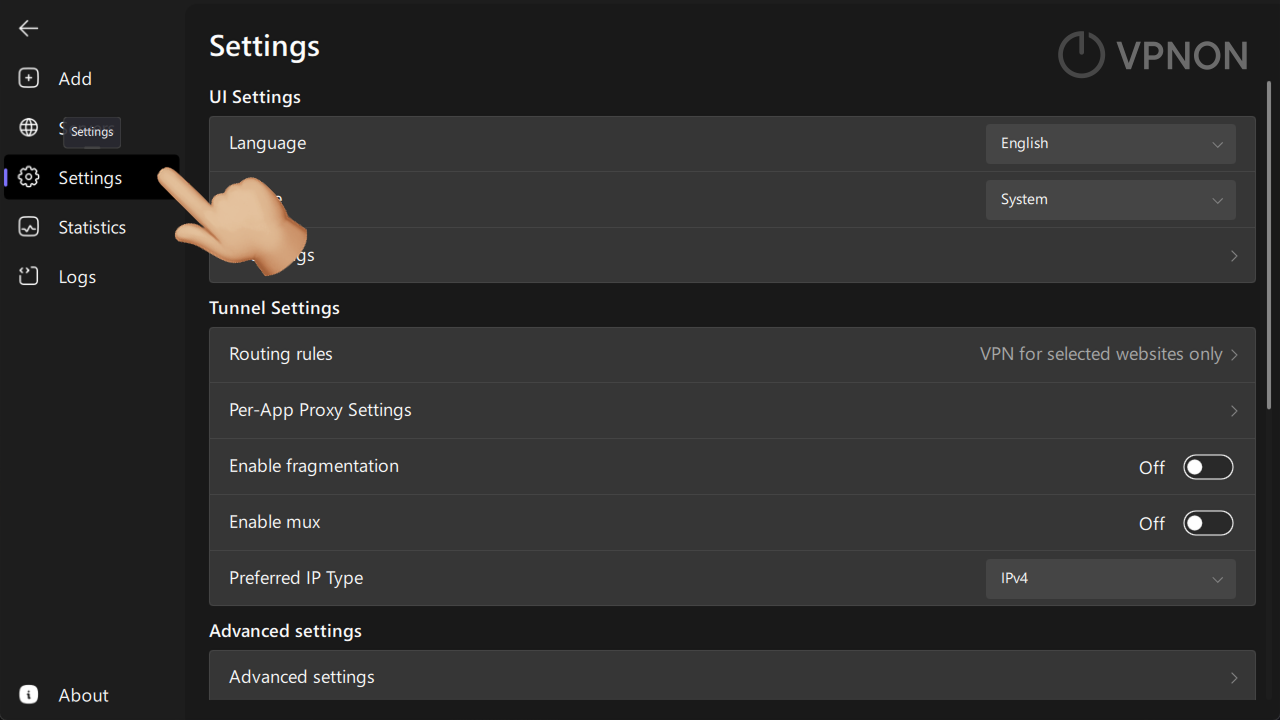
- Go to «Per-App Proxy Settings».
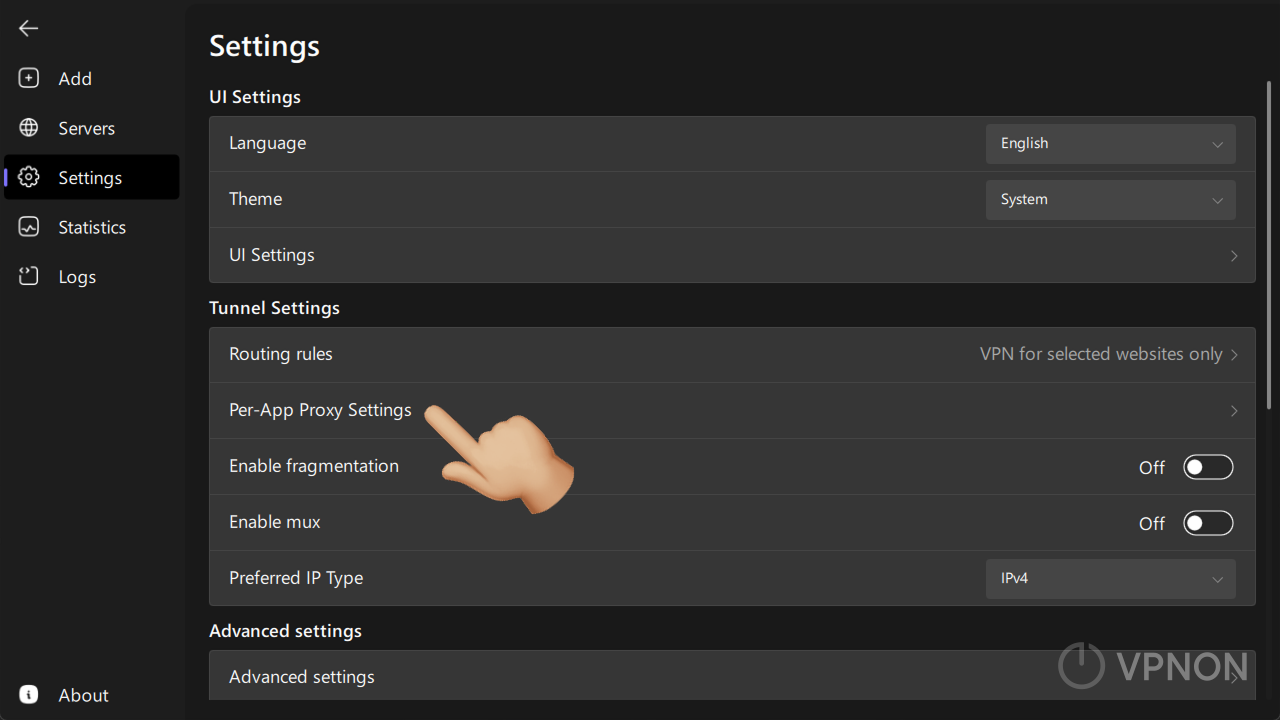
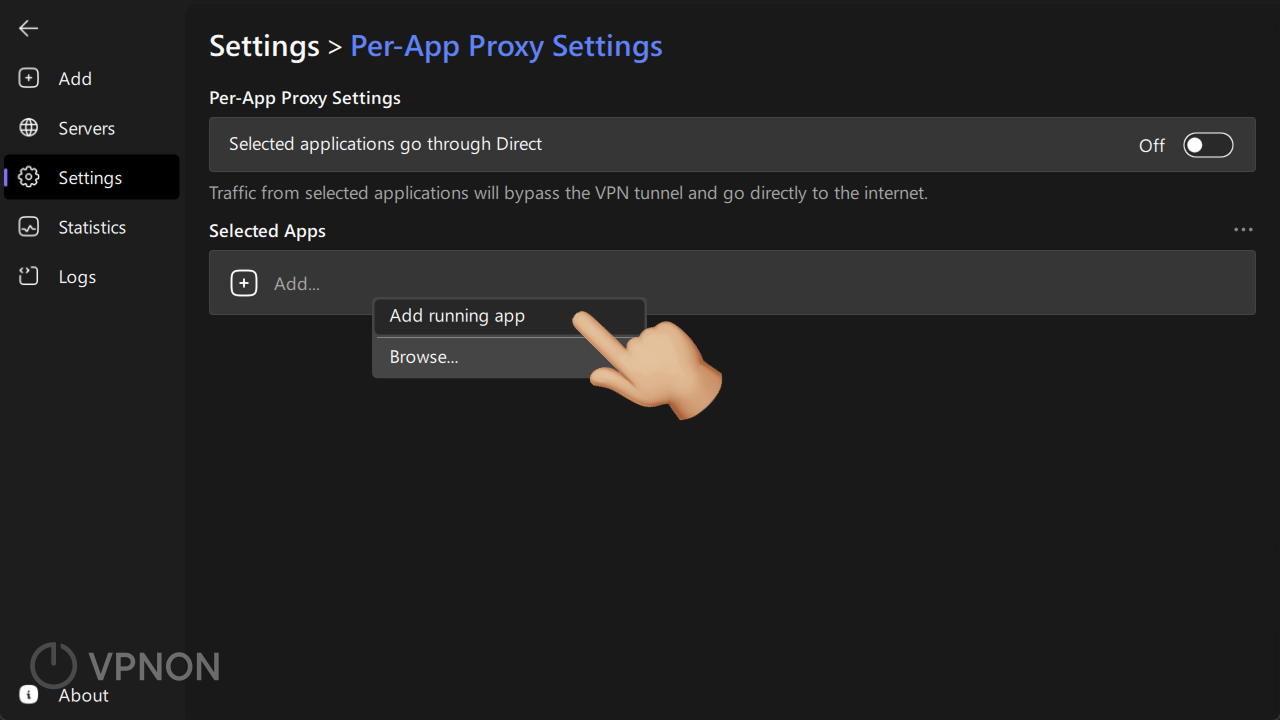
- Click the «Add» button and select «Add running app».
- Select the required application and click on it (add other applications in the same way).
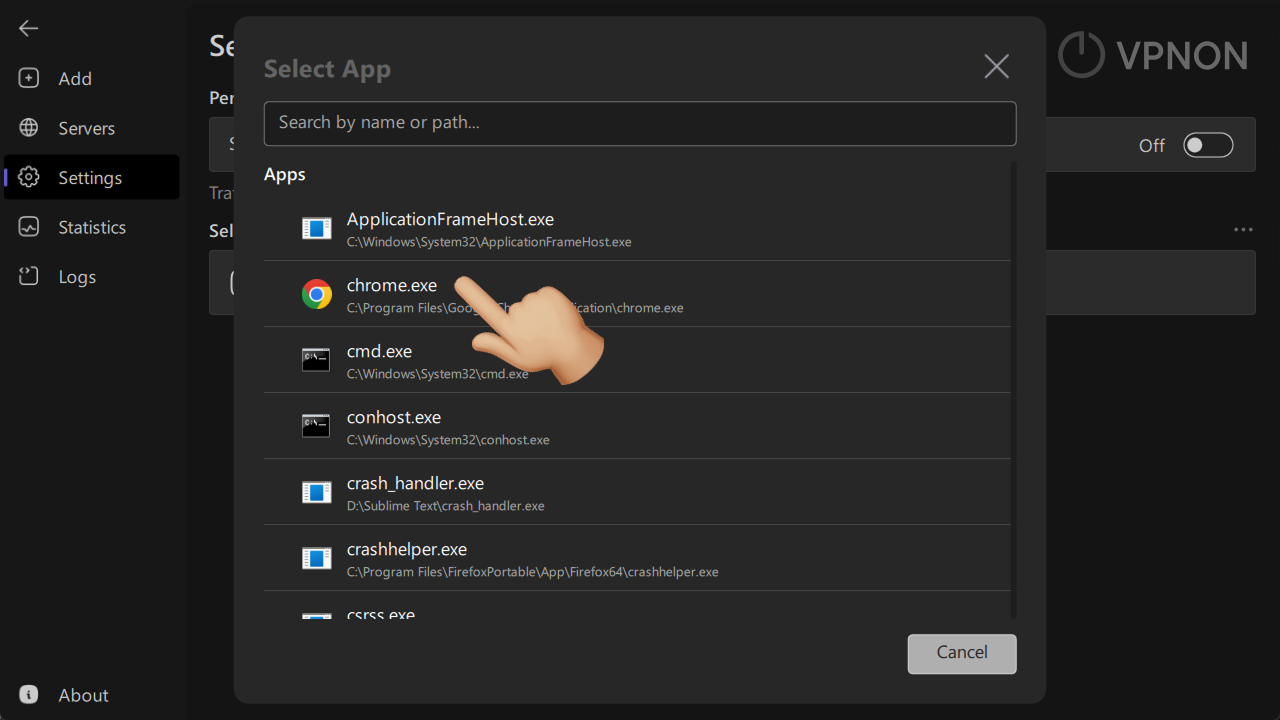
- Enable the «Selected applications go through Direct» option.
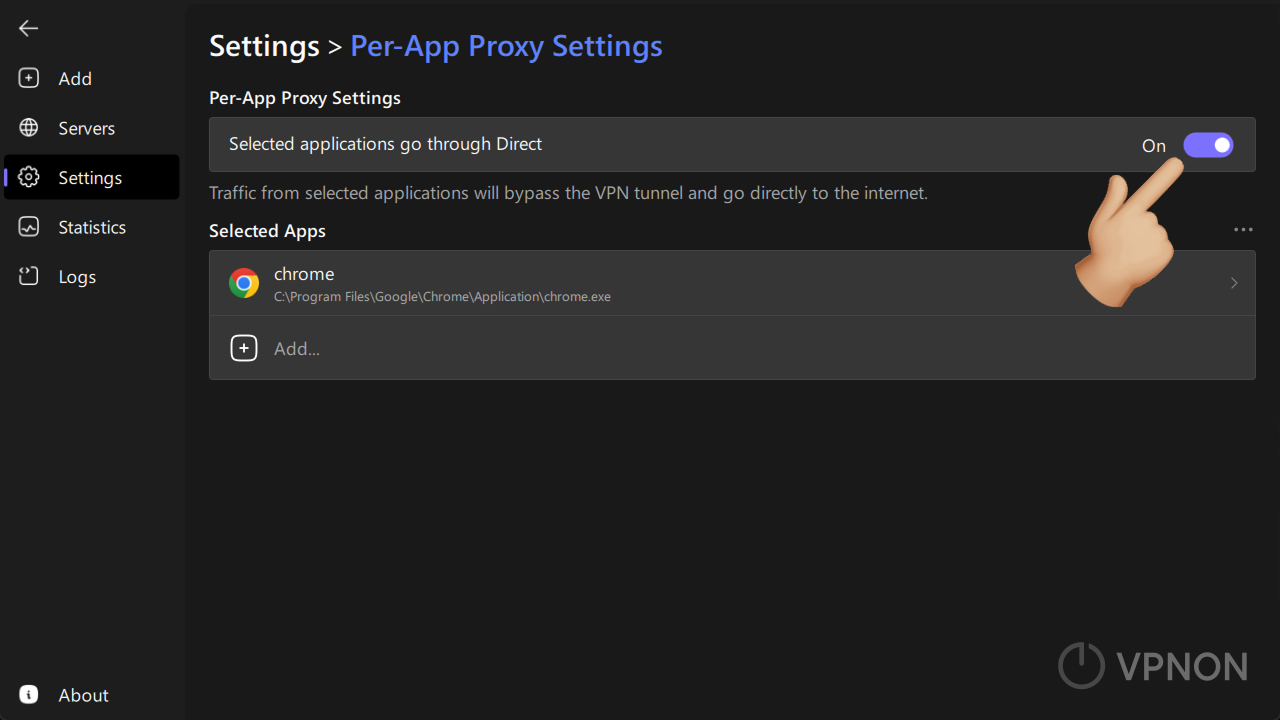
- After that, you can connect to any server and the settings will work!
VPN for selected websites only
- Launch the Happ application.
- Go to the settings section.
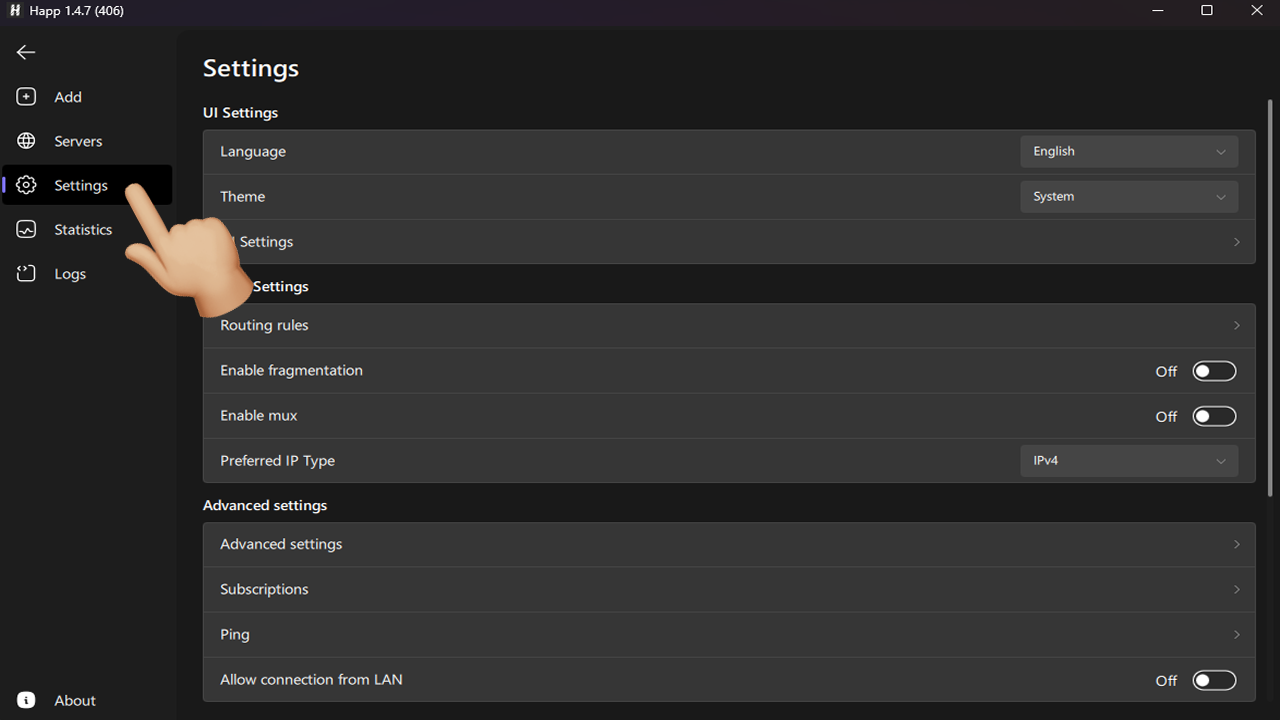
- Navigate to Routing Rules.
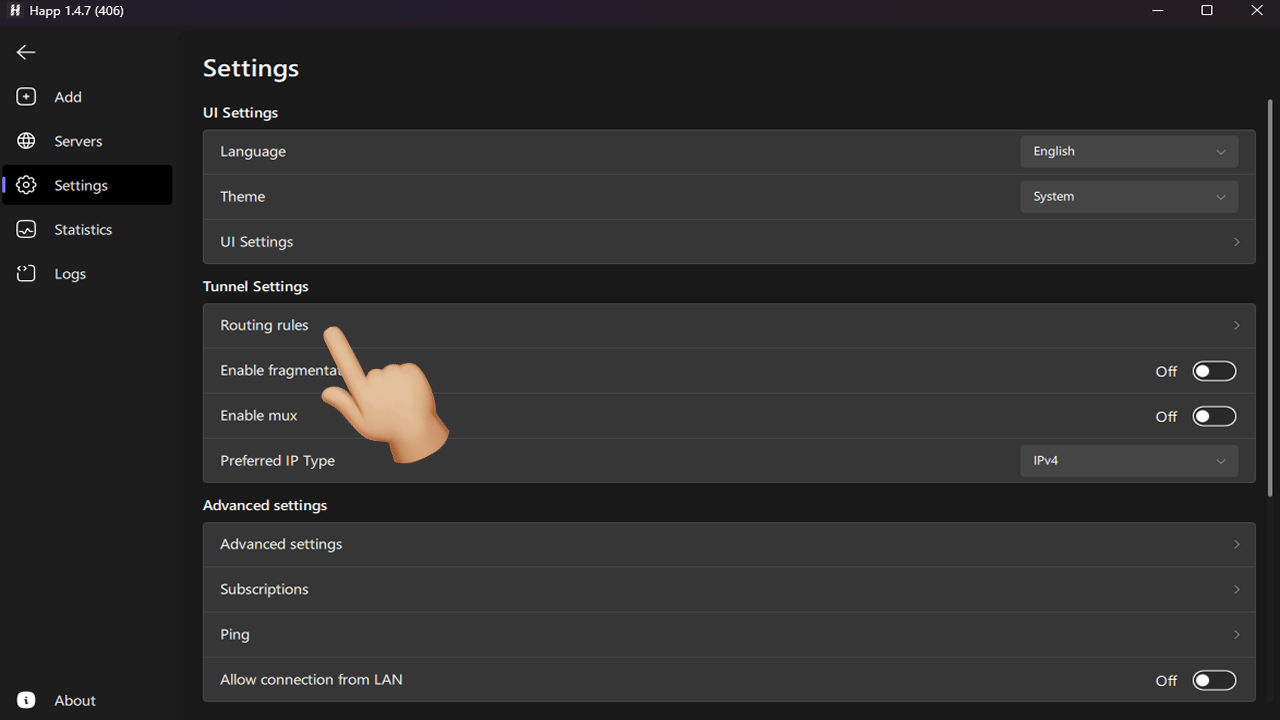
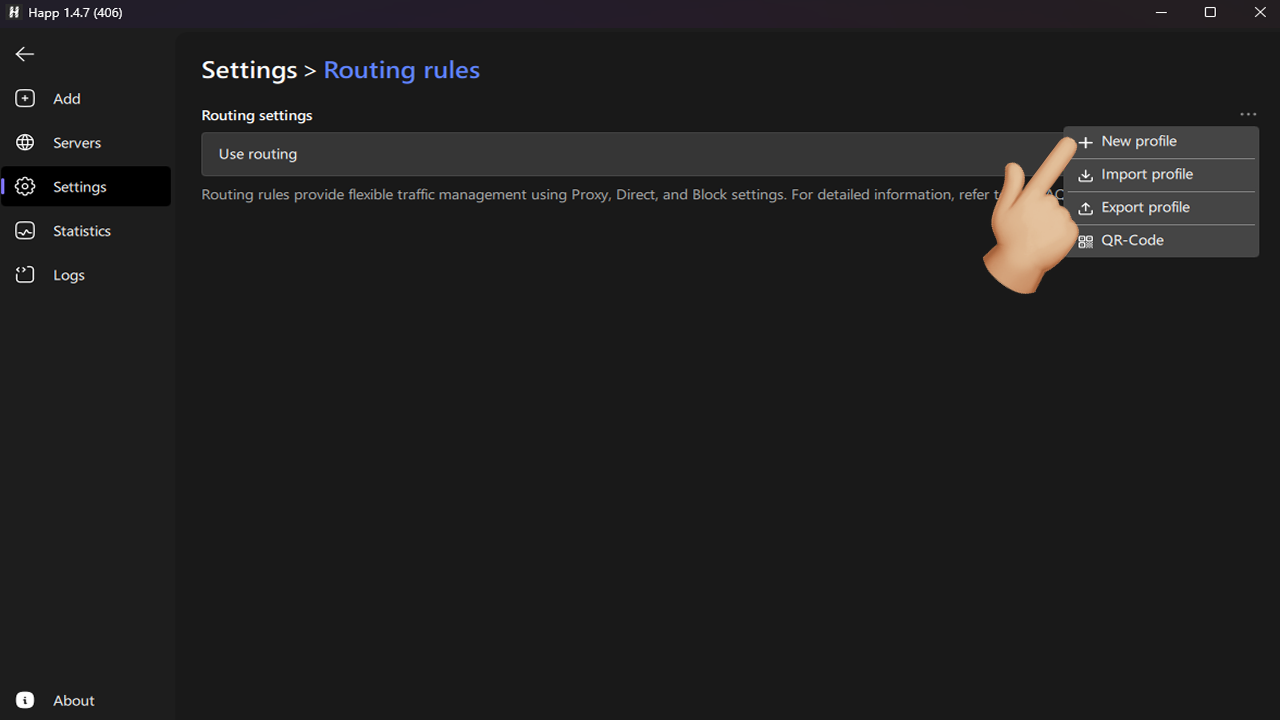
- Click the ··· icon.
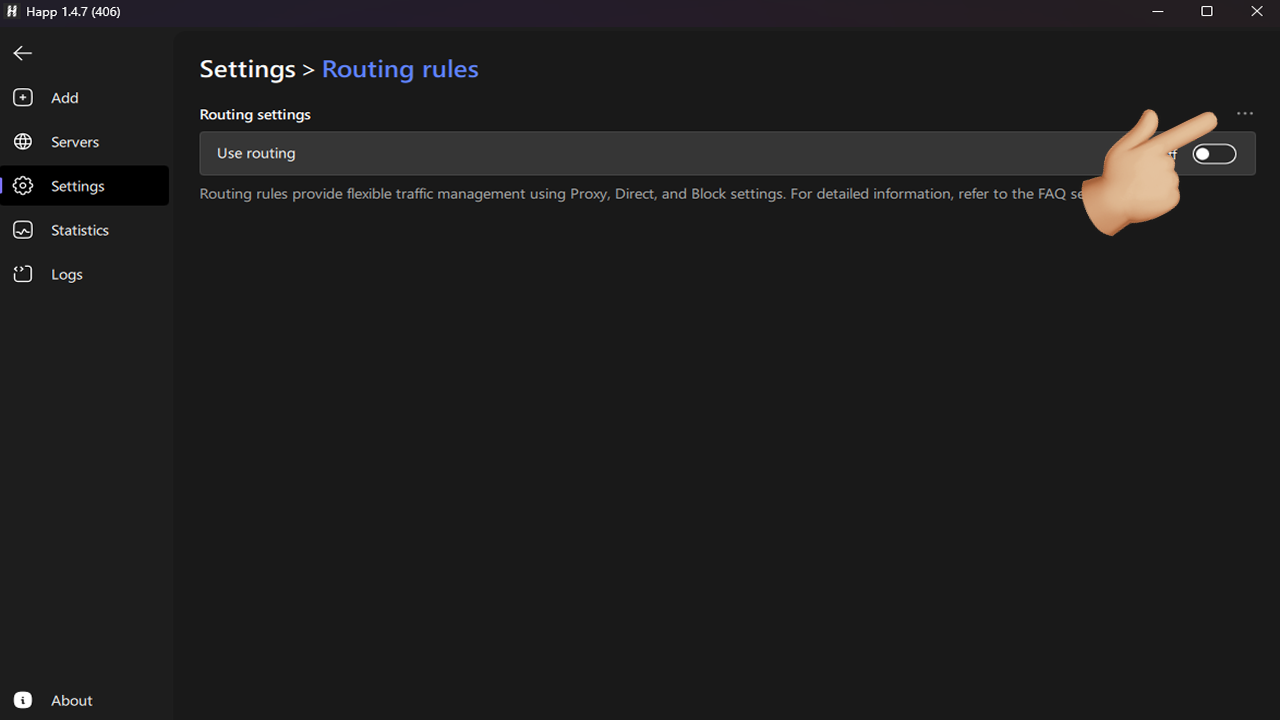
- Create a new profile.
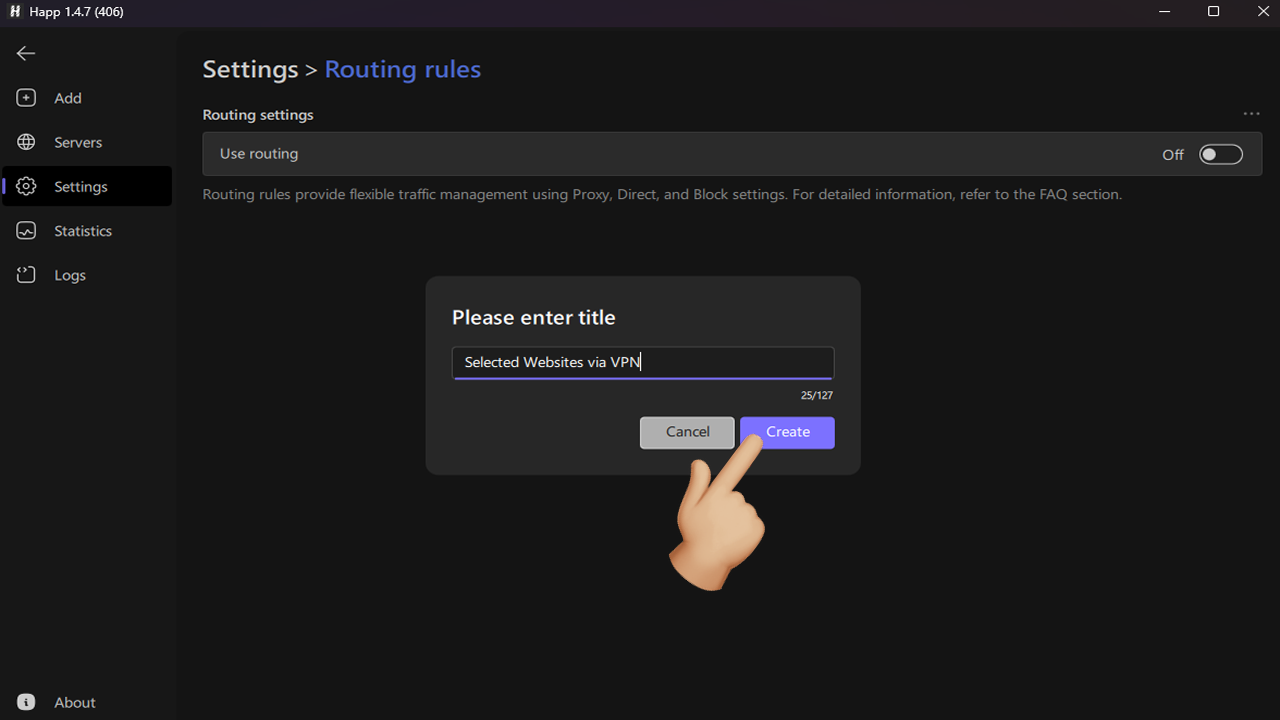
- Name it as you like, for example «VPN for selected websites only».
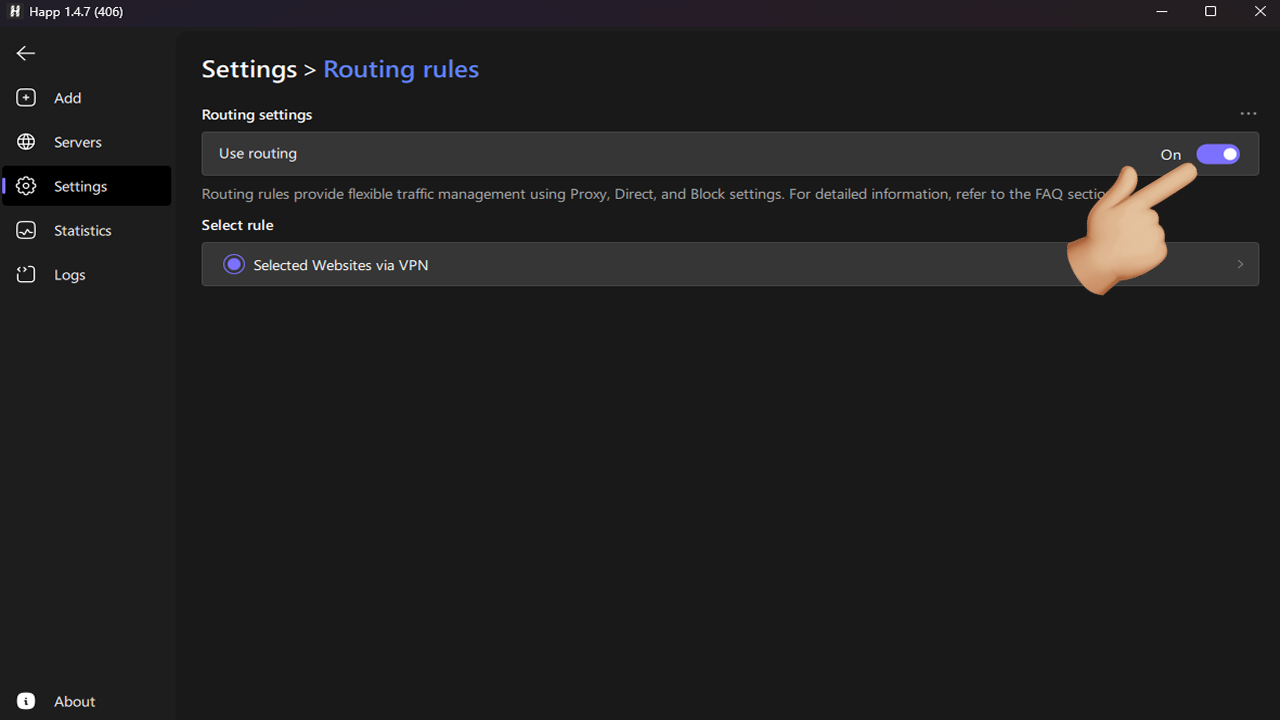
- Enable routing.
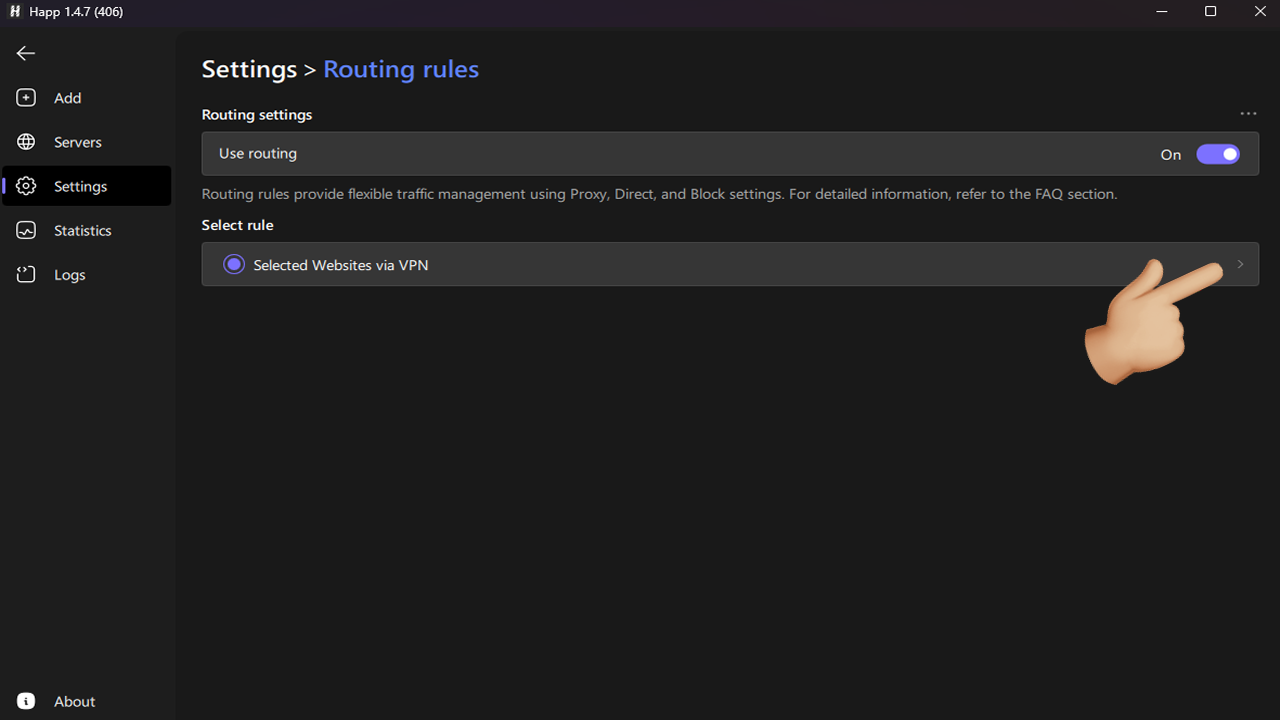
- Open the settings of the created profile.
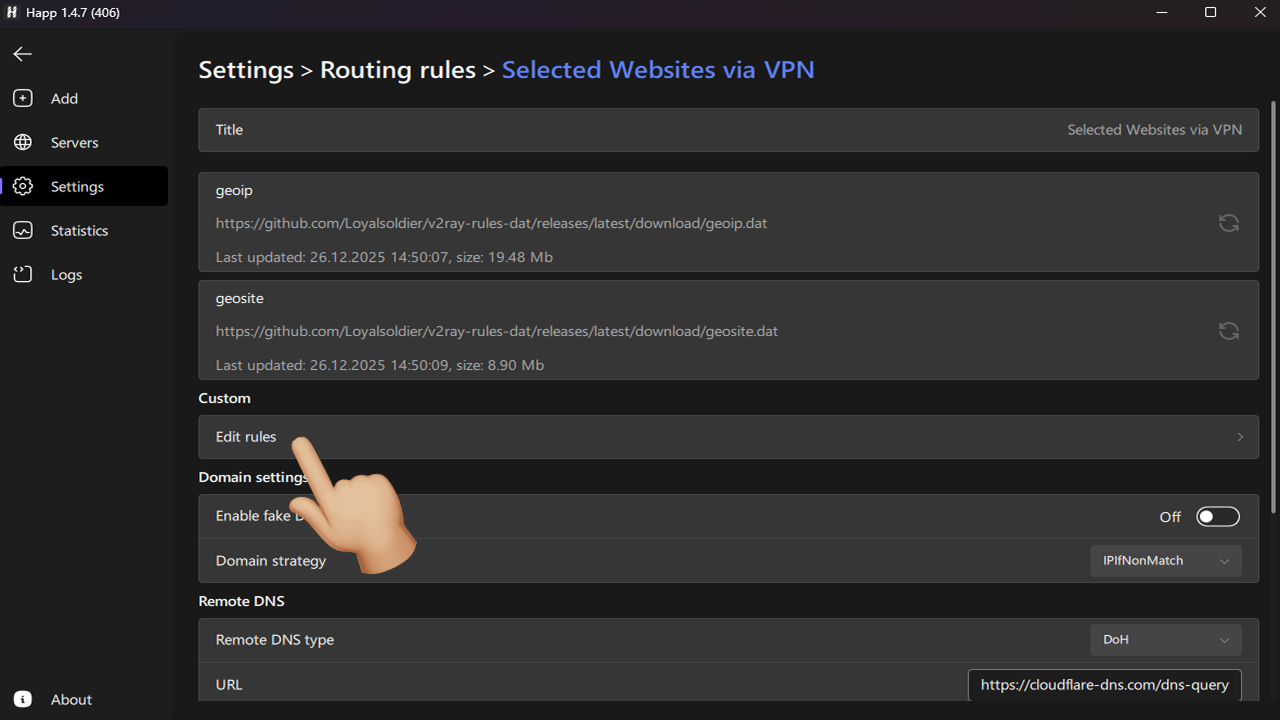
- Select Edit rules.
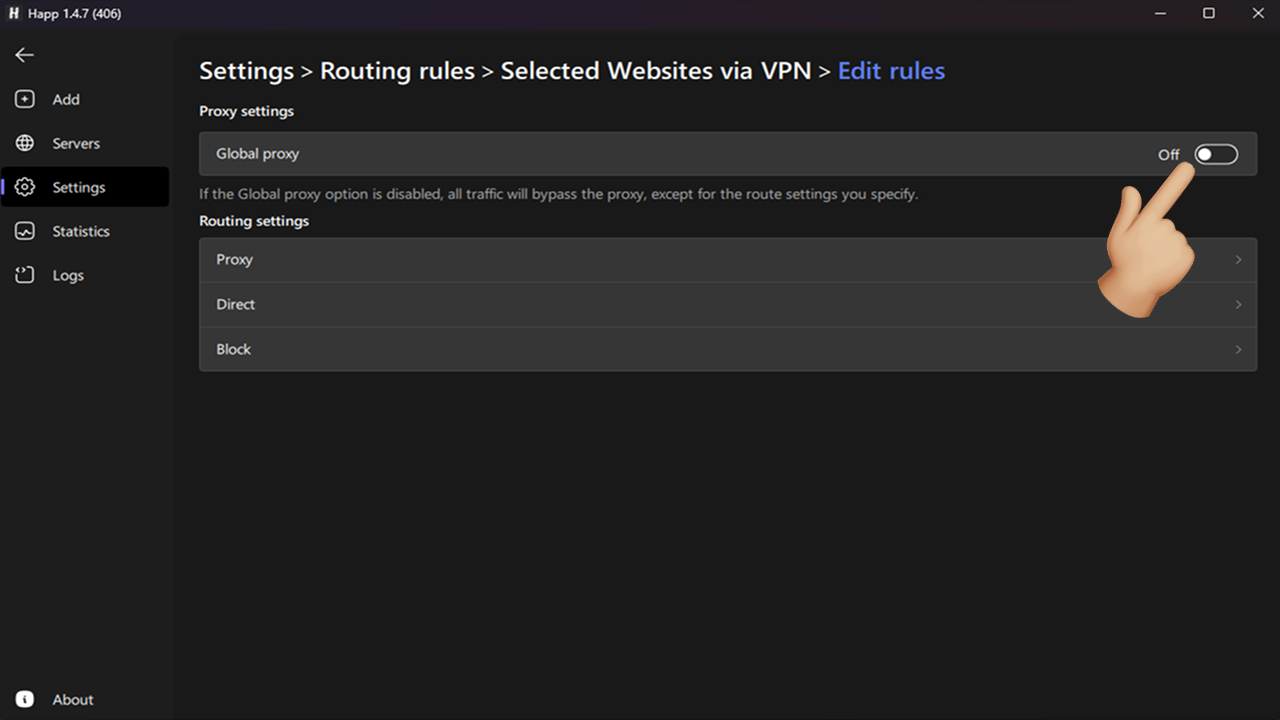
- Disable the global proxy!
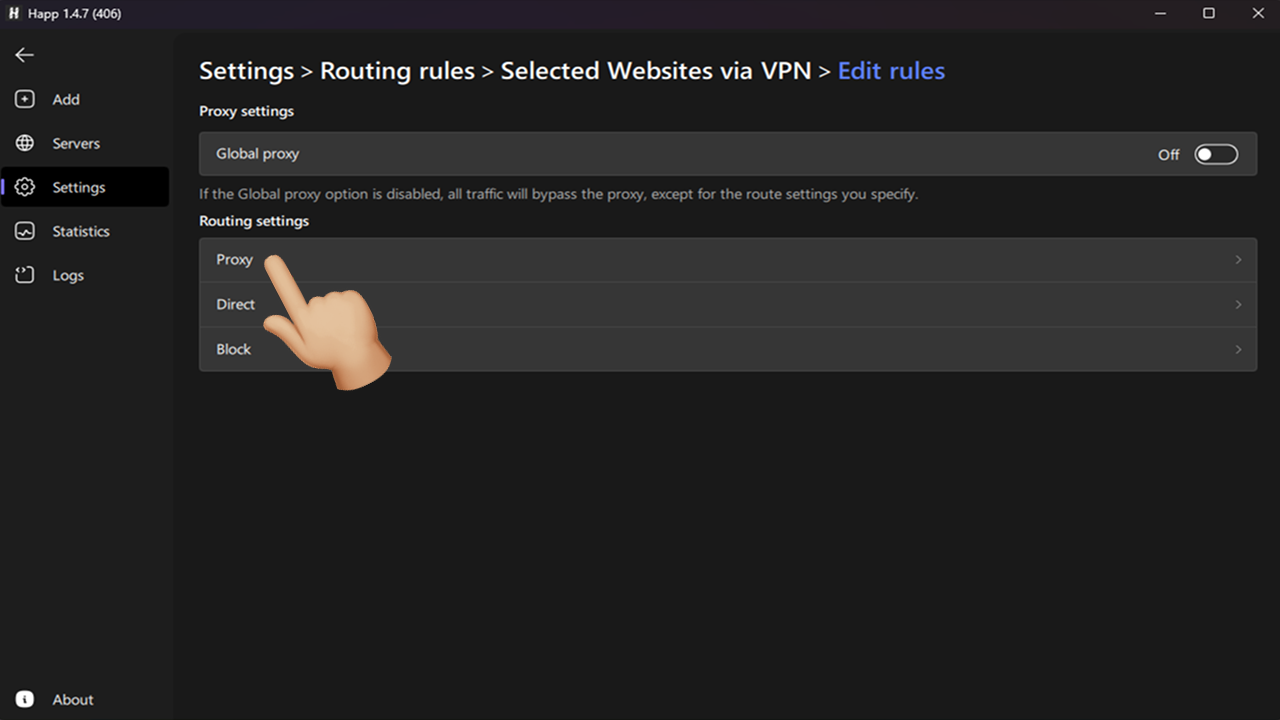
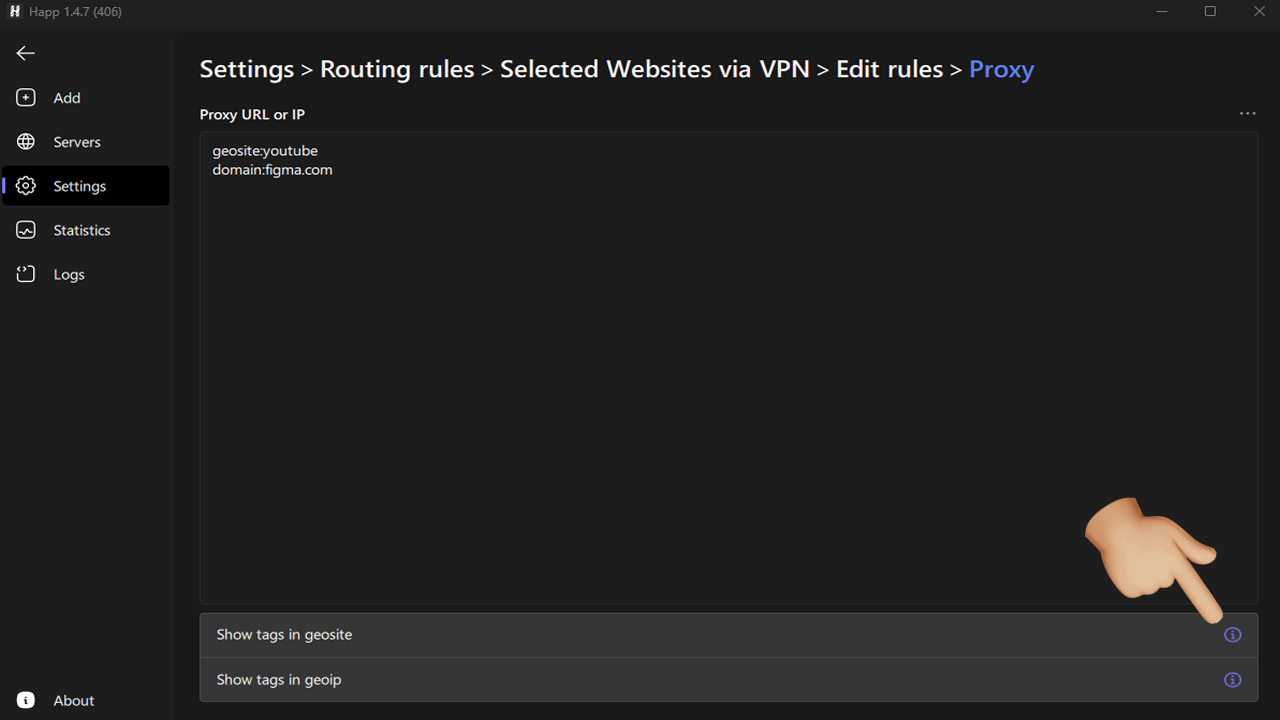
- Go to the Proxy section.
- Parameters in the Proxy section.
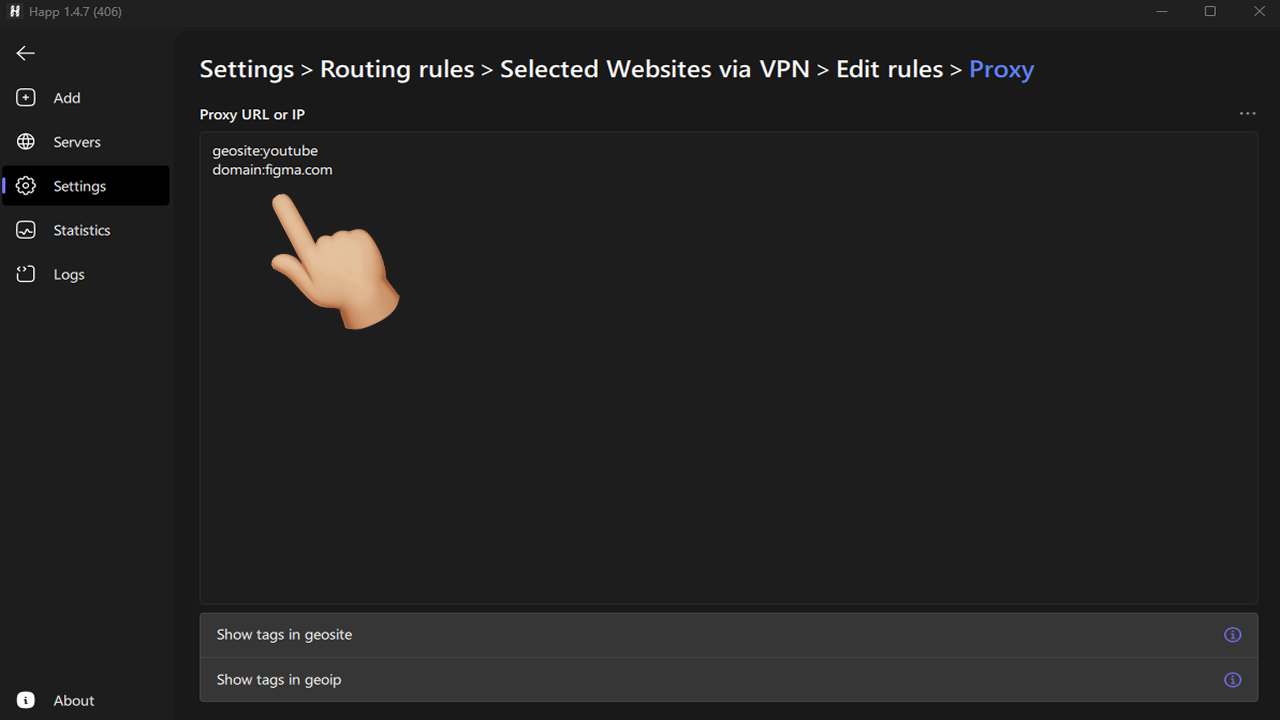
Now let’s take a closer look at which parameters need to be specified and what they are responsible for.
- Domain — a unique website name on the internet that people use to access it instead of a numeric IP address. Examples: google.com, youtube.com, wikipedia.org.
- Geoip — a rule system that allows traffic routing based on the destination country. Examples:
geoip:RU(all Russian domains),geoip:BY(all Belarusian domains). - Geosite — a file or list that contains not individual domains, but entire categories of domains grouped by a specific attribute. Most often by country (geo) or company ownership. Instead of manually adding hundreds of Google or Yandex domains, you can specify a single category.
Category examples:
- By companies and services:
geosite:microsoft(all Microsoft domains),geosite:tiktok(all TikTok domains),geosite:google(all Google domains). - Service types:
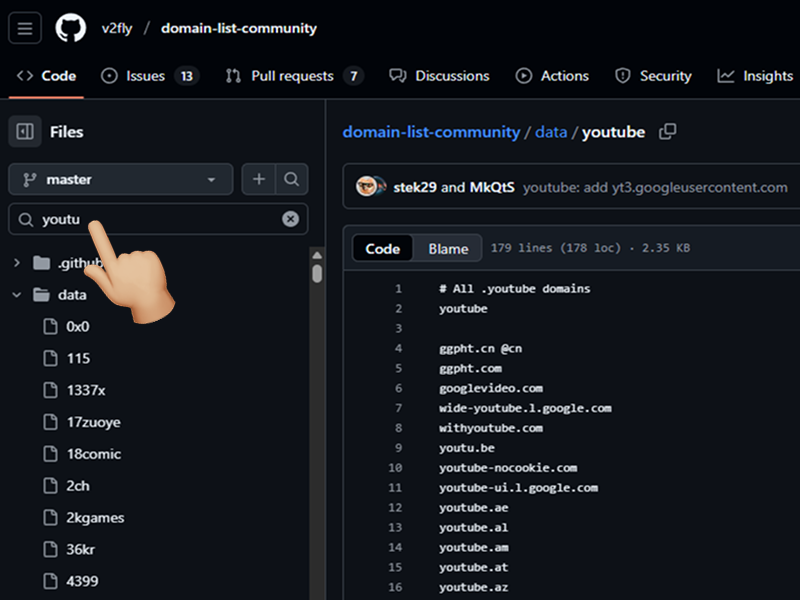
geosite:category-video(video platforms youtube.com, vimeo.com, twitch.tv),geosite:category-pirate(pirate websites, torrents, streaming). - All categories: domain-list-community
Using the link above, you can determine which domains are included in a specific geosite.
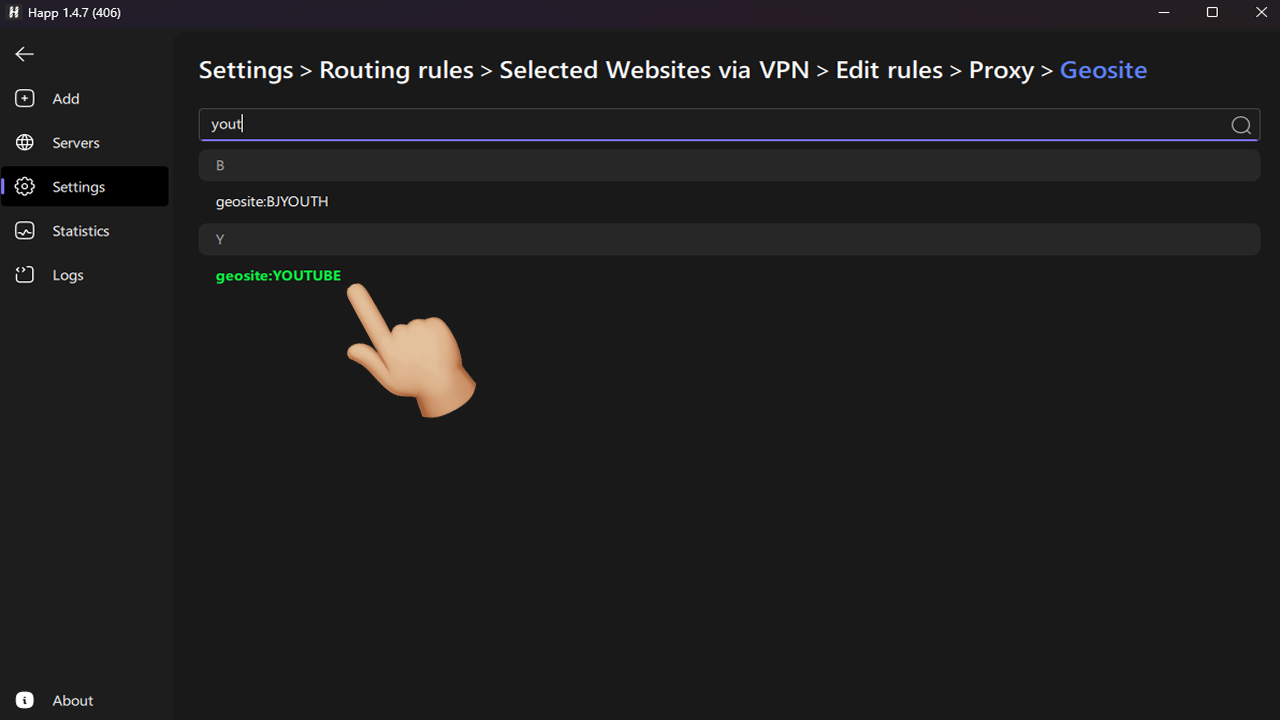
- Tags for geosite and geoip can be found directly in the application.
- Tap to add them to the required list.
- After configuring routing rules for the required resources, you can connect to any server and the new rules will work!
Selected sites without VPN
- Create a new profile (see step #5 in the previous section).
- Open the settings of the created profile and select Edit rules (see steps #8–9 in the previous section).
- Enable the global proxy!
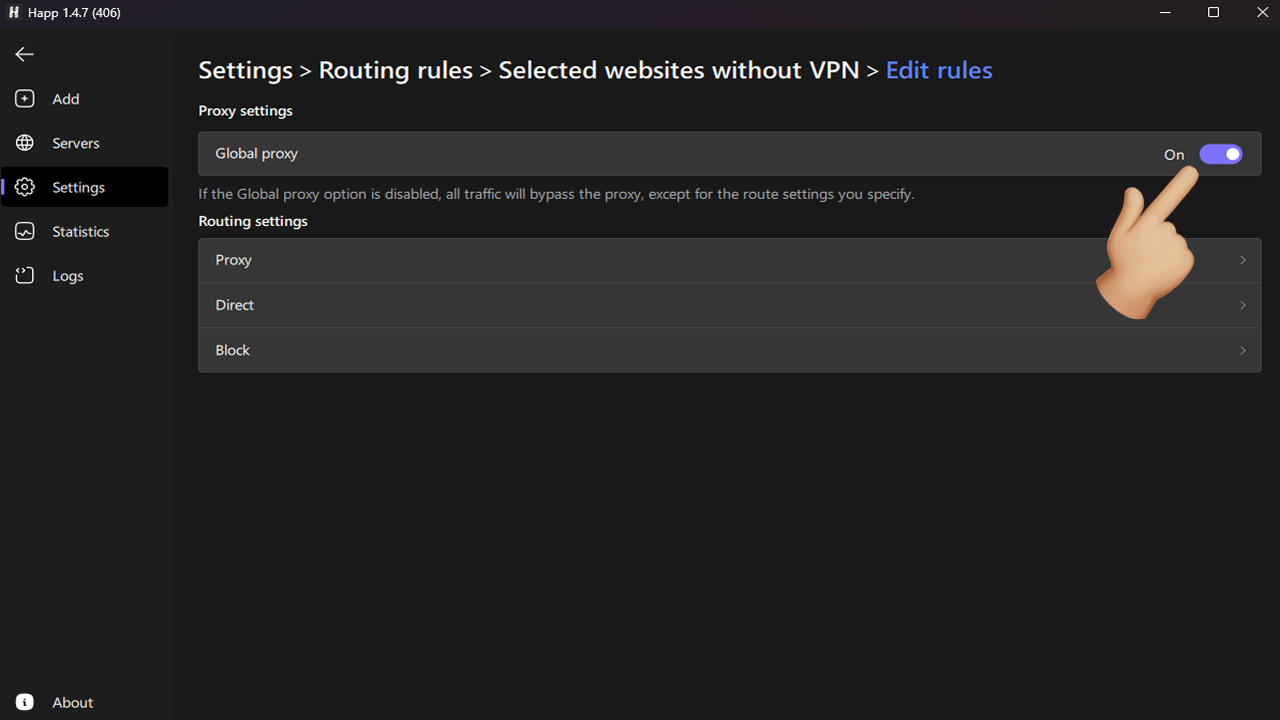
- Go to the Direct section.
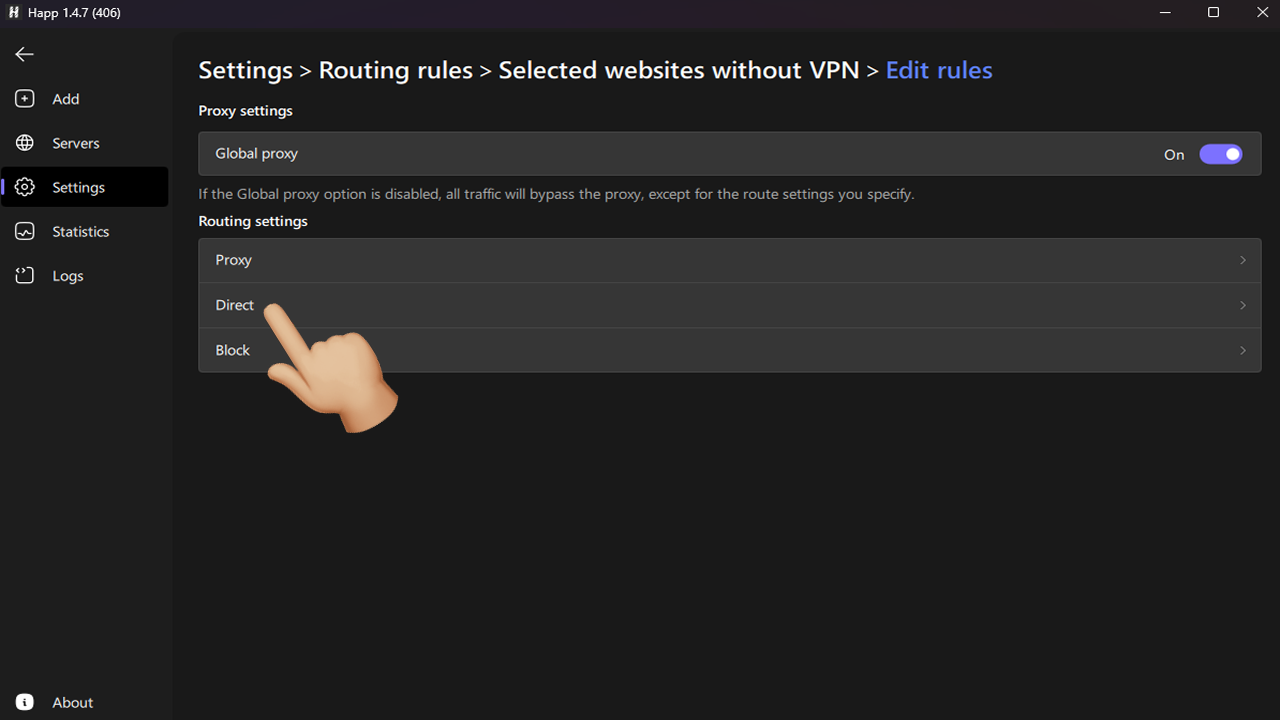
- Leave the pre-filled IP addresses so that the local network works directly, and add the rules you need. In this case:
geoip:IRandgeosite:CATEGORY-IR.
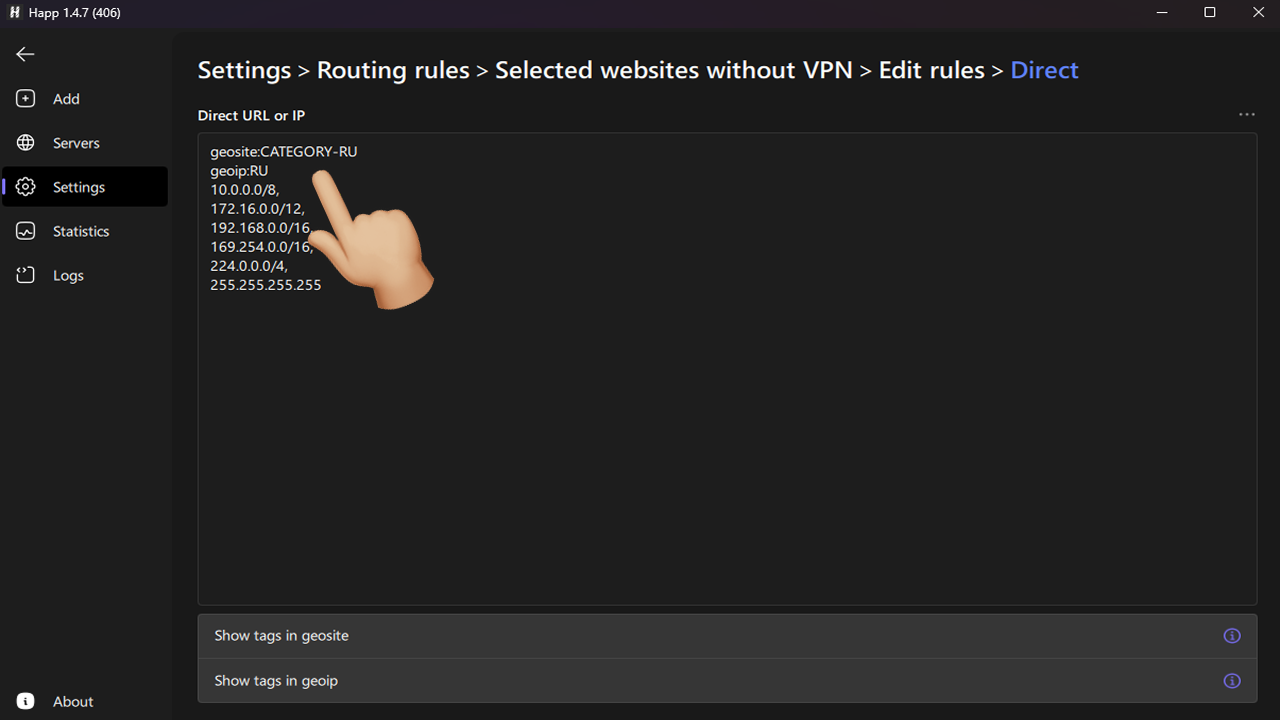
Examples of geosite for configuring routing rules
Below are examples of geosite entries. You can use them as a base and add the resources you need. If you are unsure which geosite to use for a specific resource, specify its domain directly, for example: domain:youtube.com, domain:facebook.com.
Popular services
| geosite | Example domains | Category |
|---|---|---|
geosite:google | google.com, youtube.com, gstatic.com | Search, video, CDN |
geosite:youtube | youtube.com, ytimg.com, googlevideo.com | Video hosting |
geosite:whatsapp | whatsapp.com, whatsapp.net | Messenger |
geosite:tiktok | tiktok.com, tiktokcdn.com | Video, social network |
geosite:telegram | telegram.org, t.me, telegra.ph | Messenger |
geosite:netflix | netflix.com, nflxvideo.net | Video streaming |
geosite:spotify | spotify.com, scdn.co | Music |
geosite:steam | steampowered.com, steamcommunity.com | Games |
geosite:epicgames | epicgames.com, unrealengine.com | Games |
geosite:discord | discord.com, discord.gg | Chats, communities |
geosite:reddit | reddit.com, redd.it | Forums |
geosite:github | github.com, githubusercontent.com | Development, Git |
geosite:cloudflare | cloudflare.com, workers.dev | CDN / DNS / Security |
geosite:openai | openai.com, chatgpt.com | AI services |
geosite:category-porn | pornhub.com, xvideos.com | 18+ content |
Other services
| geosite | Example domains | Category / Purpose |
|---|---|---|
geosite:facebook | facebook.com, fbcdn.net, instagram.com | Social networks |
geosite:twitter | twitter.com, t.co, x.com | Social network |
geosite:amazon | amazon.com, aws.amazon.com | E-commerce / Cloud |
geosite:microsoft | microsoft.com, live.com, bing.com | IT services |
geosite:apple | apple.com, icloud.com | Apple ecosystem |
geosite:wikipedia | wikipedia.org, wikimedia.org | Encyclopedia |
geosite:paypal | paypal.com, paypalobjects.com | Payments |
geosite:stripe | stripe.com, stripe.network | Payment systems |
geosite:zoom | zoom.us, zoomcdn.net | Video conferencing |
geosite:dropbox | dropbox.com, dropboxusercontent.com | Cloud storage |
geosite:onedrive | onedrive.live.com | Cloud storage |
geosite:adobe | adobe.com, adobe.io | Creative services |
geosite:slack | slack.com, slack-edge.com | Corporate chats |
geosite:skype | skype.com, skypeassets.com | Video calls |
geosite:atlassian | atlassian.com, jira.com, bitbucket.org | DevOps / Management |
geosite:stackoverflow | stackoverflow.com, stackexchange.com | Developer Q&A |
geosite:medium | medium.com | Publishing platform |
geosite:yahoo | yahoo.com | Portal / Mail |
geosite:bing | bing.com | Search engine |
geosite:mega | mega.nz | Cloud storage |
geosite:ea | ea.com, origin.com | Games |
geosite:ubisoft | ubisoft.com, uplay.com | Games |
geosite:quora | quora.com | Q&A |
geosite:booking | booking.com | Travel |
geosite:airbnb | airbnb.com | Accommodation rental |
geosite:cnn | cnn.com | News |
geosite:bbc | bbc.com | News |
geosite:category-news | nytimes.com, theguardian.com | News |
geosite:ads | doubleclick.net, googlesyndication.com | Advertising |
geosite:category-ads | ads.mopub.com, adservice.google.com | Ad networks |
geosite:cn | baidu.com, qq.com, wechat.com | Chinese services |
geosite:private | local, localhost | Local resources |