
How to Connect a VPN on iOS
4 min readUpdated
To connect through Happ on iPhone, install the app, add a valid subscription from your provider and select a server. The setup below uses a subscription to VPNON, our service. Happ itself does not provide servers.
Sources were read on 25 October 2026. The illustrations retain an interface whose build number has not been established. They do not confirm button locations in the current release. An iPhone connection was not tested as part of this review.
Connecting on iOS
Before installing, check your iOS version and the selected app’s listing. As of 25 October 2026, the global listing for Happ — Proxy Utility identifies Flyfrog LLC as the developer and requires iOS 15.0 or later. Check the requirements of other variants separately.
Prepare a valid subscription or configuration from your provider. Installing the app alone does not add servers.
Select the iOS variant from Happ’s official developer list. Open its App Store listing, check the publisher and compatibility, then install the app. Availability depends on your Apple Account’s country or region.
If the app is unavailable, do not change your region automatically. First check Apple’s requirements for your balance, subscriptions, family group and payment method.
You can also read the guide to changing App Store region.
App Setup
- On the same iPhone, tap Copy subscription in your VPNON account. Copy the access data, not the account page’s address. Do not publish your subscription link.
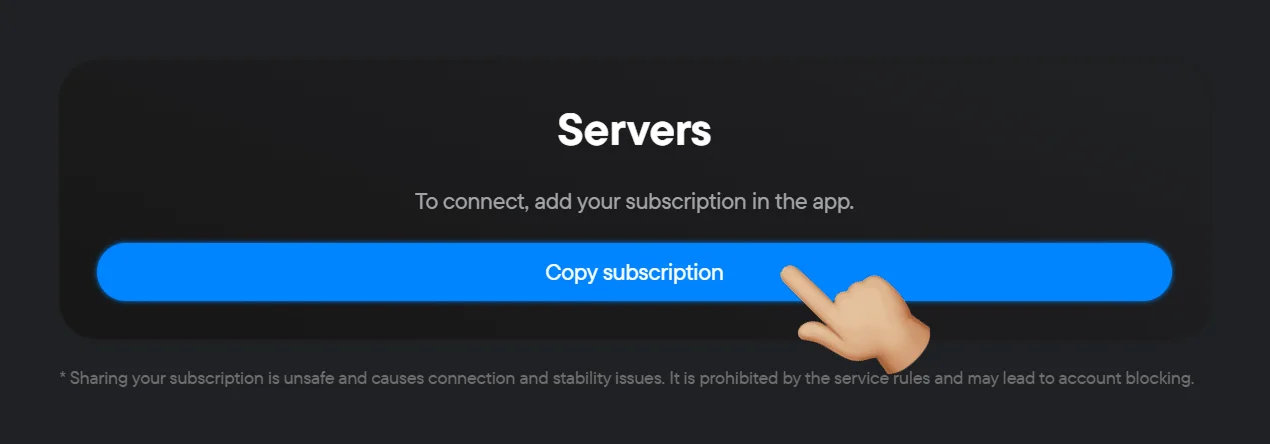
- Open Happ.
- In the interface shown, tap Clipboard to import the copied subscription. If your screen differs, find clipboard import in the documentation for your version.
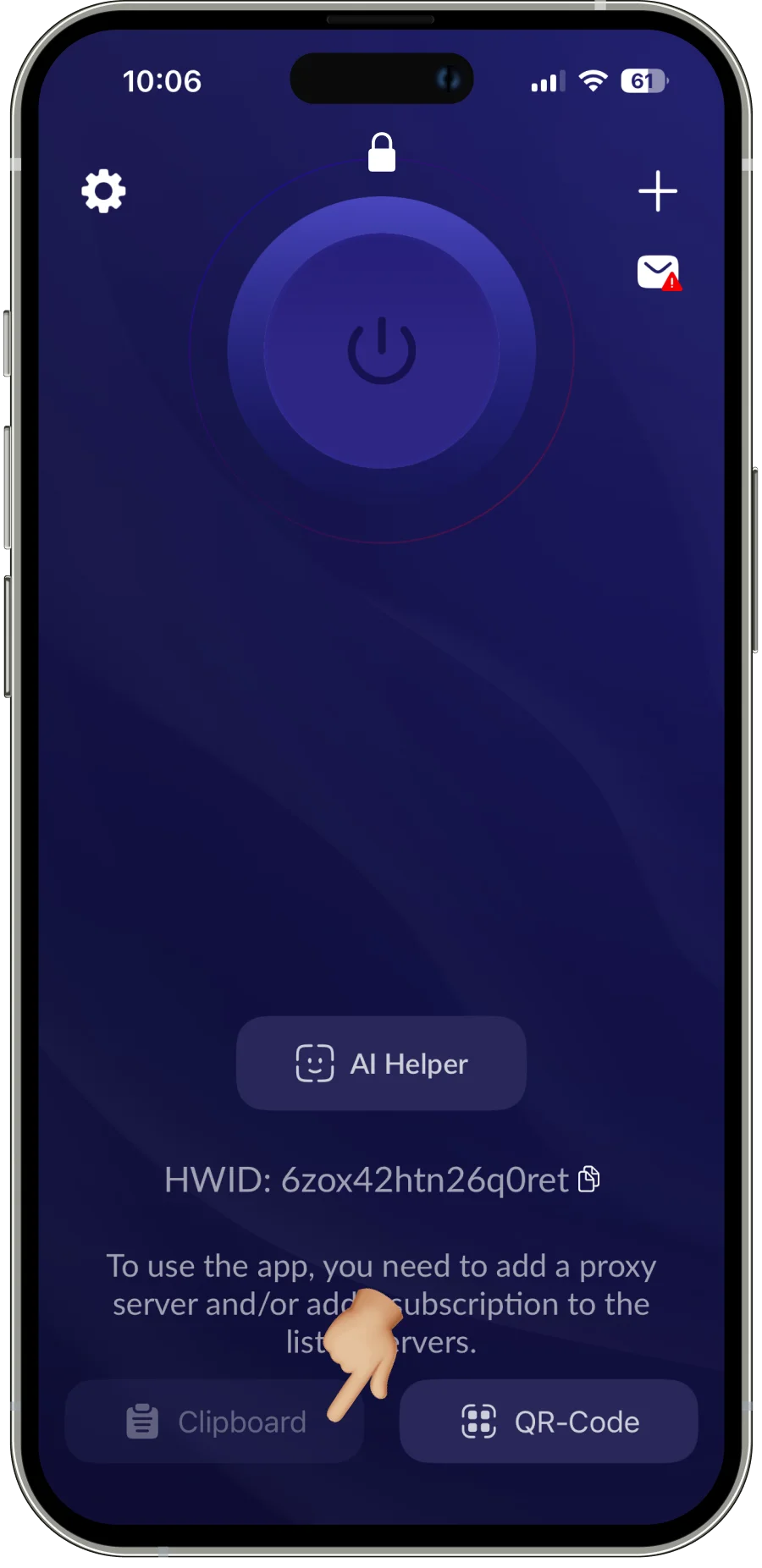
Interface illustration; the build number has not been established.
- Wait for the added subscription’s servers to appear and select a server provided to you. If the list is empty or there is a download error, first check the import and the validity of your access with the provider.
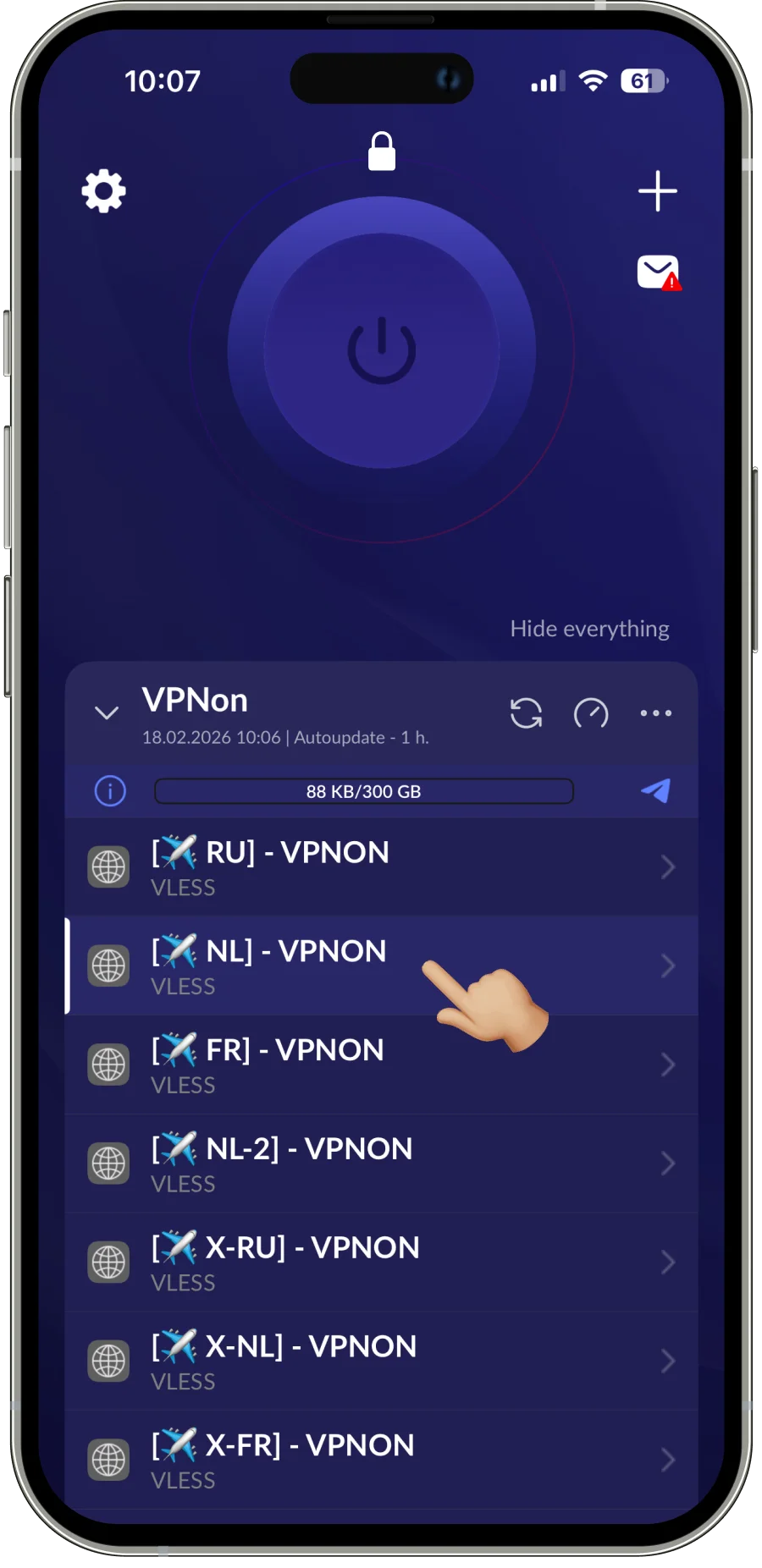
Example server list, not a required location or the current plan’s terms.
- Tap the large button with the power symbol.
- If iOS asks to add a VPN configuration, read the request and confirm only the expected action for the installed app. On a managed work or school device, first agree on the change with the administrator.
- Wait for Happ to show a connected state and perform one required action on a site or in an app you are allowed to access. A “connected” state alone does not guarantee access to every resource or the same speed. If the action fails, continue with the troubleshooting below.
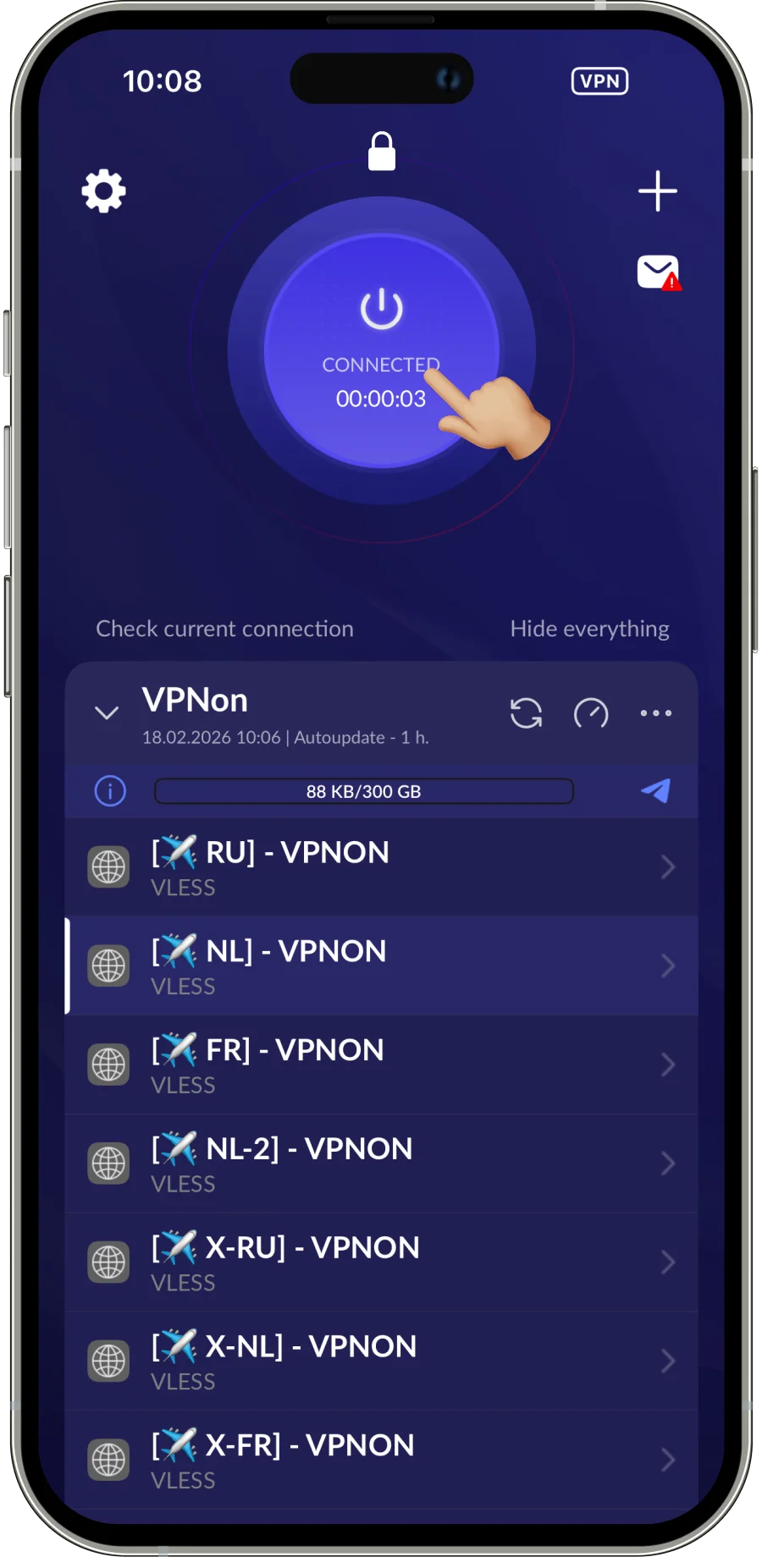
A connected state is shown; this is not a test of access to every resource.
VPN configuration management is described in Apple’s documentation for Personal VPN and NETunnelProviderManager.
| Metric | Result | max | avg | min |
|---|---|---|---|---|
| Ping | —ms | — | — | — |
| Download | —Mbps | — | — | — |
| Upload | —Mbps | — | — | — |
If Happ Does Not Connect
- Check your regular internet connection without VPN. If another network is available, repeat the check there.
- Check compatibility between your iOS and client versions, then check for updates from an official source.
- If the subscription will not load or the connection cannot be established, record the exact error and contact your access provider or the client developer.
Do not publish subscription links, keys or your device passcode. Do not delete the profile or reset the network for this check. Agree on changes to a managed device with its administrator.
The checks are based on Apple’s connectivity troubleshooting guidance.
FAQ
Where Can I Download Happ on iPhone?
Open the iOS listing from Happ’s official developer list. Check the publisher, compatibility and availability for your Apple Account.
How Do I Add a VPN on iPhone?
Copy the subscription provided to you, import it from the clipboard in Happ, select a server and turn on the connection. Then check the required action.
Where Can I Get a Subscription for Happ?
The server provider supplies the access data. In this guide, the VPNON subscription is copied from your account; the Happ app itself does not provide servers.
Author: VPNON Editorial Team